
Map
Where you want to go, and where you have been
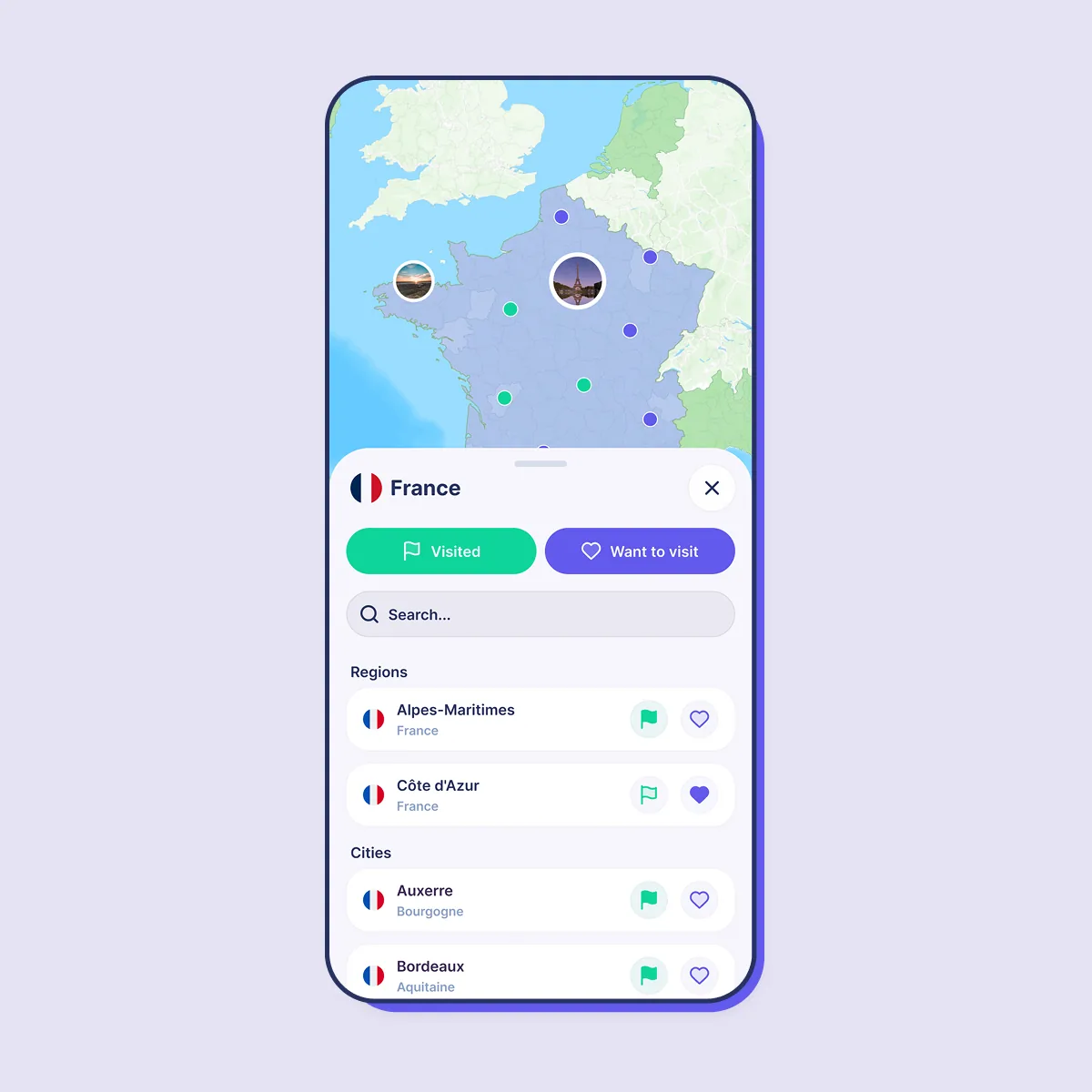
Mark any place with one tap. Places you want to visit turn blue, visited places turn green.
- Your travel wish list
- Press Want to visit on a country, region or city to save it for later.
- From countries to villages
- Open a country to see its regions and cities. Is a city missing? Add it yourself.
- A passport that fills up
- Visited places come together in your travel passport, with stamps and statistics.

Trips
From wish list to itinerary
Add goals such as “See the cherry blossom in Kyoto”, and plan them day by day when you go.
- Plan day by day
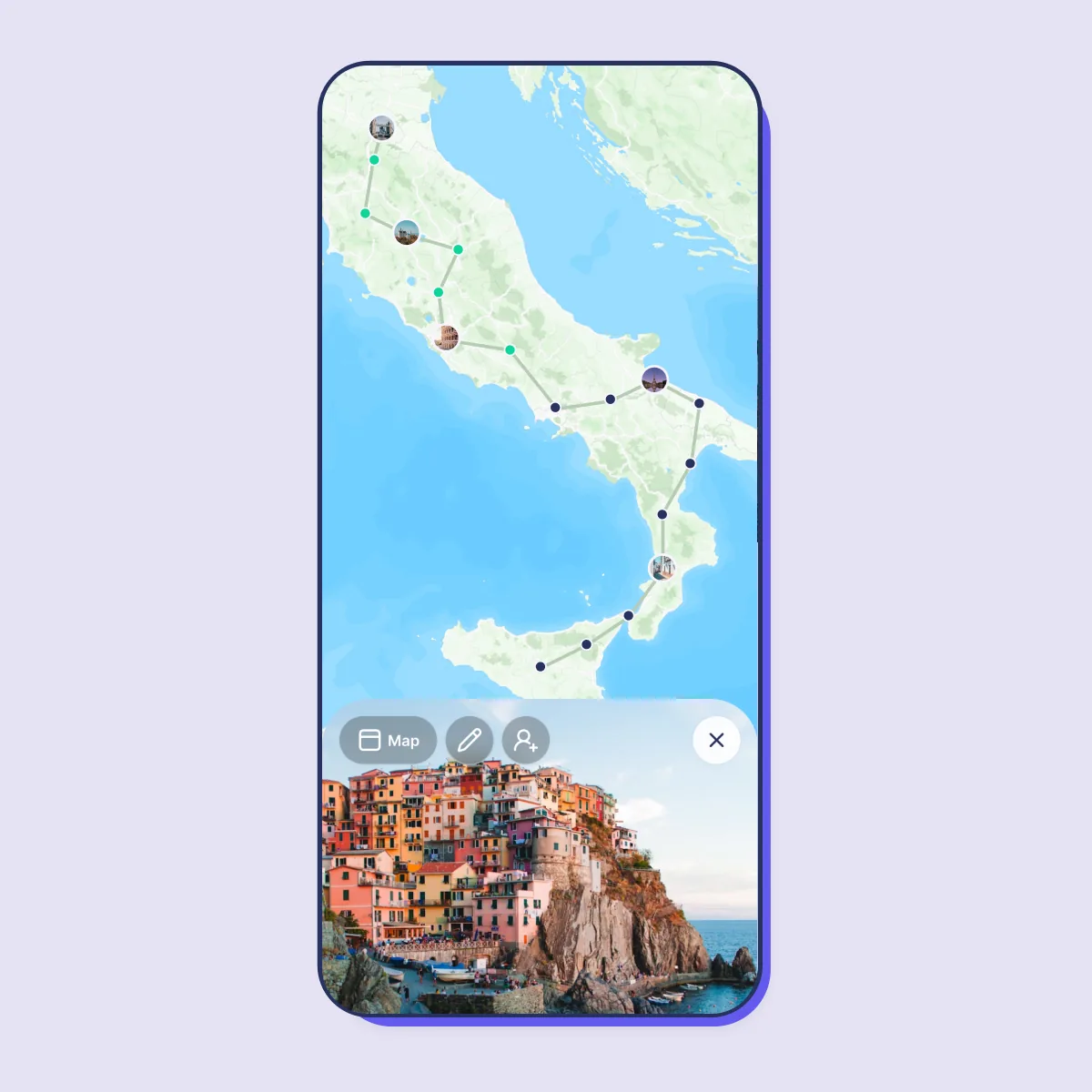
- Add your dates and put each goal on the day you want to do it.
- See the route
- Look at everything in your trip on one map, so you know what is close together.
- Take others along
- Invite your partner, friends or family to the trip, so everyone can add their own wishes.
How to make a travel bucket list
A good travel bucket list is more than a list of countries. These five steps turn it into something you will actually use.
-
1
Mark where you have been
Start with your visited places. It shows which parts of the world are still blank, and that is often where the ideas come from.
In iBucket: tap a country on the map and press Visited.
-
2
Add the places you dream of
Collect first, choose later. Save every country, region or city that keeps coming back to you.
In iBucket: press Want to visit, the place turns blue.
-
3
Write down the experience
“Japan” is a destination; “cycle the Shimanami Kaido” is a plan. Write down what you want to do there.
In iBucket: press + and add it as a goal.
-
4
Check the season and the budget
Find out when to go and roughly what it costs. That tells you which dream fits this year and which needs saving.
In iBucket: add a budget, only you can see it.
-
5
Choose one and plan it
Pick one place, set the dates and combine it with other places nearby on your map.
In iBucket: create a Trip and move your goals into it.

Travel bucket list ideas
Some classics to start with, sorted by the kind of trip.
Famous places
- See Machu Picchu in Peru
- Walk along the Great Wall of China
- Watch the sun rise over Angkor Wat
- Visit Petra in Jordan
- See the pyramids of Giza
- Stand at the foot of the Taj Mahal
Nature
- See the northern lights in Norway
- Go on safari in Tanzania
- Snorkel at the Great Barrier Reef
- Hike in Torres del Paine
- Stand at Iguazu Falls
- Drive the ring road around Iceland
Journeys
- Cross a country by train
- Drive Route 66
- Travel Europe with a rail pass
- Sail along the Croatian coast
- Walk the Camino de Santiago
- Follow the cherry blossom in Japan
Frequently asked questions
What is a travel bucket list?
A travel bucket list is a list of the places you want to see and the things you want to do there, such as seeing the northern lights or driving Route 66.
What can I do with a travel bucket list app?
You keep your wishes in one place and take them with you. In iBucket you mark places on a map, add goals with tasks and photos, and plan them day by day in a trip.
Can I mark places I want to visit on a map?
Yes. Tap a country, region or city and press Want to visit. Places you want to visit turn blue, visited places turn green.
Can I share my travel bucket list?
Yes. Invite your partner, friends or family to a list, a trip or your whole bucket list. They join for free. You can also share an image of your travel passport.
Is the travel bucket list app free?
Yes, iBucket is free to download and use. The free plan includes 5 goals and 10 places; Premium makes them unlimited.
Put your dream trip on the map
Download iBucket for free and start with the place you think about most.