Map
Mark where you've been
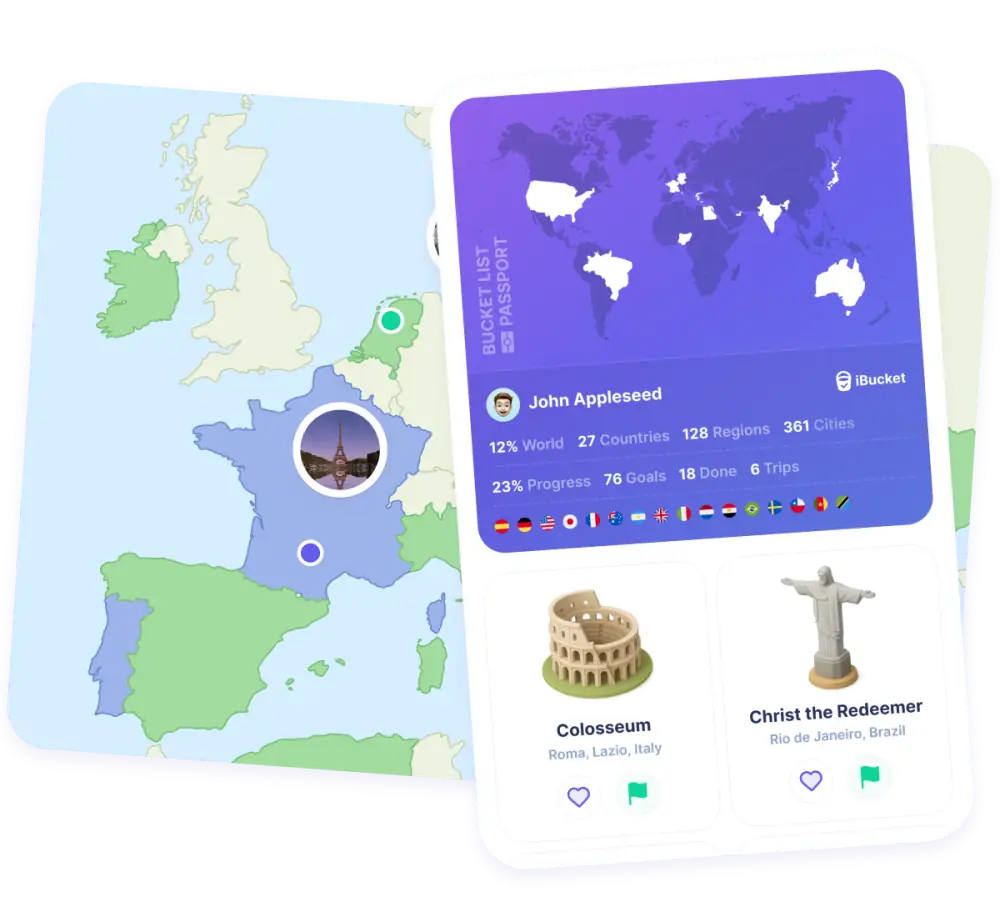
Tap a country on the map and mark it. Visited places turn green, places on your wish list turn blue.
- Countries
- All 249 countries and territories of the ISO 3166-1 standard, from France to the Faroe Islands.
- Regions and cities
- Open a country and switch to the Regions or Cities tab to mark them one by one, right down to the smallest village. Missing a city? Add it yourself.
- Search or add
- Search for any place, or press + and choose Places to mark countries, regions and cities without scrolling the map.

Passport
Your travel passport
Everything you marked comes together in your passport: your places, your stamps and your travel statistics.
- Collect stamps
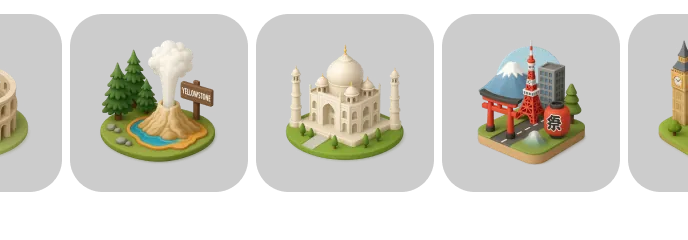
- Open the Stamps tab in your passport and complete stamps for the places you want to visit or have visited.
- Travel statistics
- See your travel stats stack up, such as the number of countries you've visited.
- Share your passport
- Press Share in your passport to post an image of everywhere you've been on social media.
How to track the places you've visited
Whether you have visited three countries or eighty, a complete overview is surprisingly satisfying — and it shows you where to go next.
-
1
Start with countries
Go through the world country by country and mark everywhere you have been. Most people find a few they had forgotten.
In iBucket: tap a country on the map and press Visited.
-
2
Decide what counts as a visit
Does a layover count? A day trip across the border? Pick your own rule — many travellers count a country once they have left the airport — and apply it consistently.
-
3
Add regions and cities
Countries only tell half the story. Marking regions and cities shows how well you really know a place, and turns a single dot into a detailed map.
In iBucket: open a country and use the Regions and Cities tabs.
-
4
Build your wish list
Mark the places you want to visit too. Seeing them on the map makes it easier to plan routes and combine destinations.
In iBucket: press Want to visit, the place turns blue.
-
5
Keep it up to date after every trip
Update your map when you get home, while you still remember every town you passed through.
In iBucket: use search to mark several places quickly.
-
6
Share and compare
Share your map with friends, compare where you have been and get inspired for your next trip together.
In iBucket: share your passport image or follow friends to see their travels.
Frequently asked questions
How many countries are there in the world?
There are 195 countries: 193 member states of the United Nations plus 2 observer states, Vatican City and Palestine. iBucket's map uses the ISO 3166-1 standard, which lists 249 countries and territories, so overseas territories such as Greenland or Aruba can be marked separately.
How do I mark a country as visited in iBucket?
Go to the map and tap the country, then press Visited or Want to visit. You can also search for the country, or press + and choose Places. Visited countries turn green, countries you want to visit turn blue.
Can I mark regions and cities too?
Yes. Open a country and choose the Regions or Cities tab to mark them as visited or want to visit. If a city is missing, scroll down in the Cities tab and press Add a city.
How do I share the countries I've visited?
Open your Passport and press Share at the top right, or tap your passport, to share an image of your travels on social media.
Is the countries visited map free?
Yes, iBucket is free to download and use. Premium is available if you want unlimited access and extra features.
See your world fill in
Download iBucket for free and mark every place you've been, and every place you still want to go.