Journal
Your story, in your words
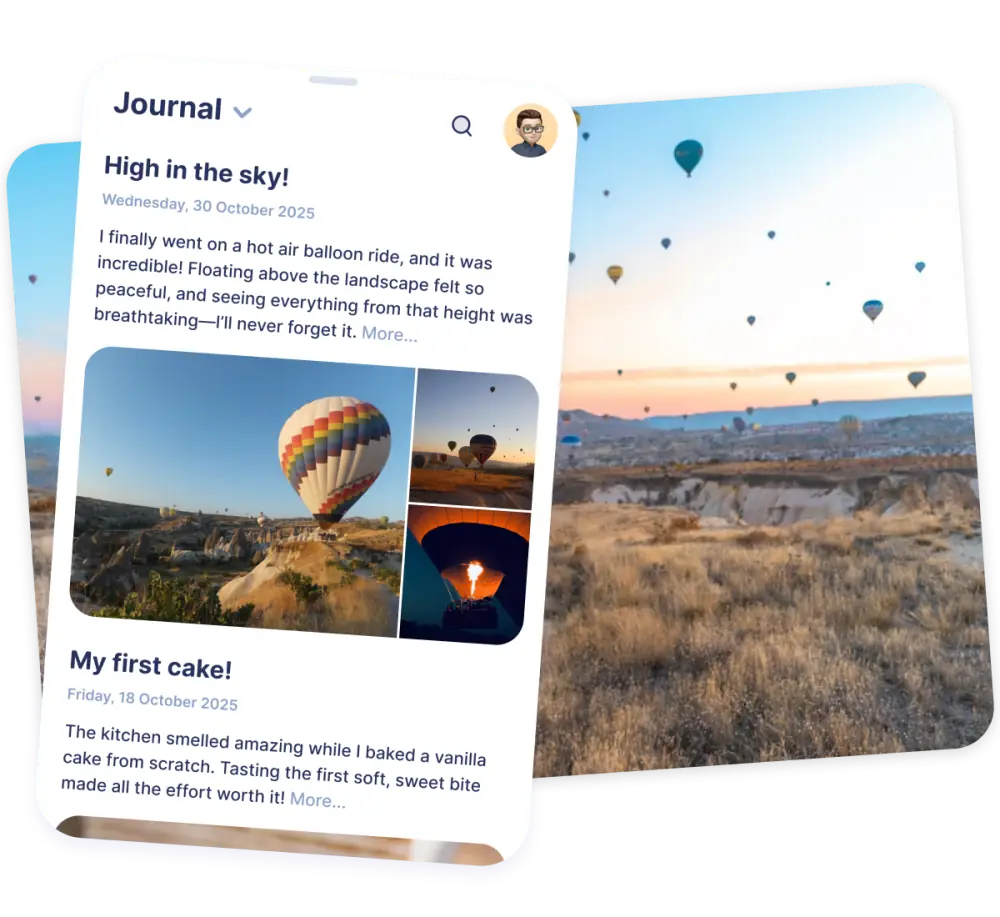
Write about what you experienced while it's still fresh, from the big adventures to the little everyday wins.
- Write your story
- Track your journey with detailed entries, short or long, whenever you feel like writing.
- Add your photos
- Bring your stories to life with photos, so each entry has a face and a place.
- Tied to the moment
- Every entry becomes a memory you can look back on, connected to the place and the moment it happened.

Memories
Look back and inspire
Your journal grows into a timeline of everything you've done. Look back on it, and share your stories with others.
- Save your memories
- Keep all your stories in one place, safe in the app instead of scattered across notebooks and camera rolls.
- Inspire others
- Share your stories with friends and followers, and get ideas for your own next adventure from theirs.
- Always private
- Your account is always private: only you and the friends you approve can see your bucket list and stories.

How to keep a travel journal
You don't need to be a writer to keep a journal you'll treasure. These steps help you start, and keep going.
-
1
Pick a format you'll actually use
A notebook is lovely, but a phone is always with you. Choose the format that fits your trips, so writing never feels like a chore.
In iBucket: your journal is always in your pocket, next to your goals and trips.
-
2
Write a little, often
Five minutes every evening beats one long entry you never get round to. Short notes are enough; you can always add more later.
-
3
Capture the details
Names, smells, sounds, the price of a coffee, a sentence someone said. Details are what bring a memory back years later.
-
4
Write how it felt
Don't just list what you did. Describe how you felt, what surprised you and what you learned about yourself.
-
5
Add photos
Choose a few photos that tell the story, not every shot you took. One good photo with a caption says more than fifty without.
In iBucket: add photos to your entry.
-
6
Look back
Read your old entries now and then, especially before a new trip. It reminds you what you love about travelling and what you want to do next.
In iBucket: scroll back through your journal and turn new ideas into goals.

Frequently asked questions
What should I write in a travel journal?
Write what you did, saw and ate, but also how it felt, who you met and what surprised you. Small details, such as sounds, names and prices, are what bring memories back later.
Is a digital travel journal better than a notebook?
Both work. A notebook is personal and tangible; a digital journal is always with you, keeps your photos together with your stories and cannot get lost on the way home.
How often should I write in my travel journal?
Ideally a few minutes every day while you travel. Short daily notes are easier to keep up than long entries, and you can expand them when you get home.
Can I keep my journal private?
Yes. Your iBucket account is always private, so only you and the friends you approve can see your bucket list and journal.
Is the iBucket journal free?
Yes, iBucket is free to download and use. Premium is available if you want unlimited access and extra features.
Start your journal today
Download iBucket for free and keep the stories behind every goal, trip and place.