Itinerary
Every day of your trip, planned
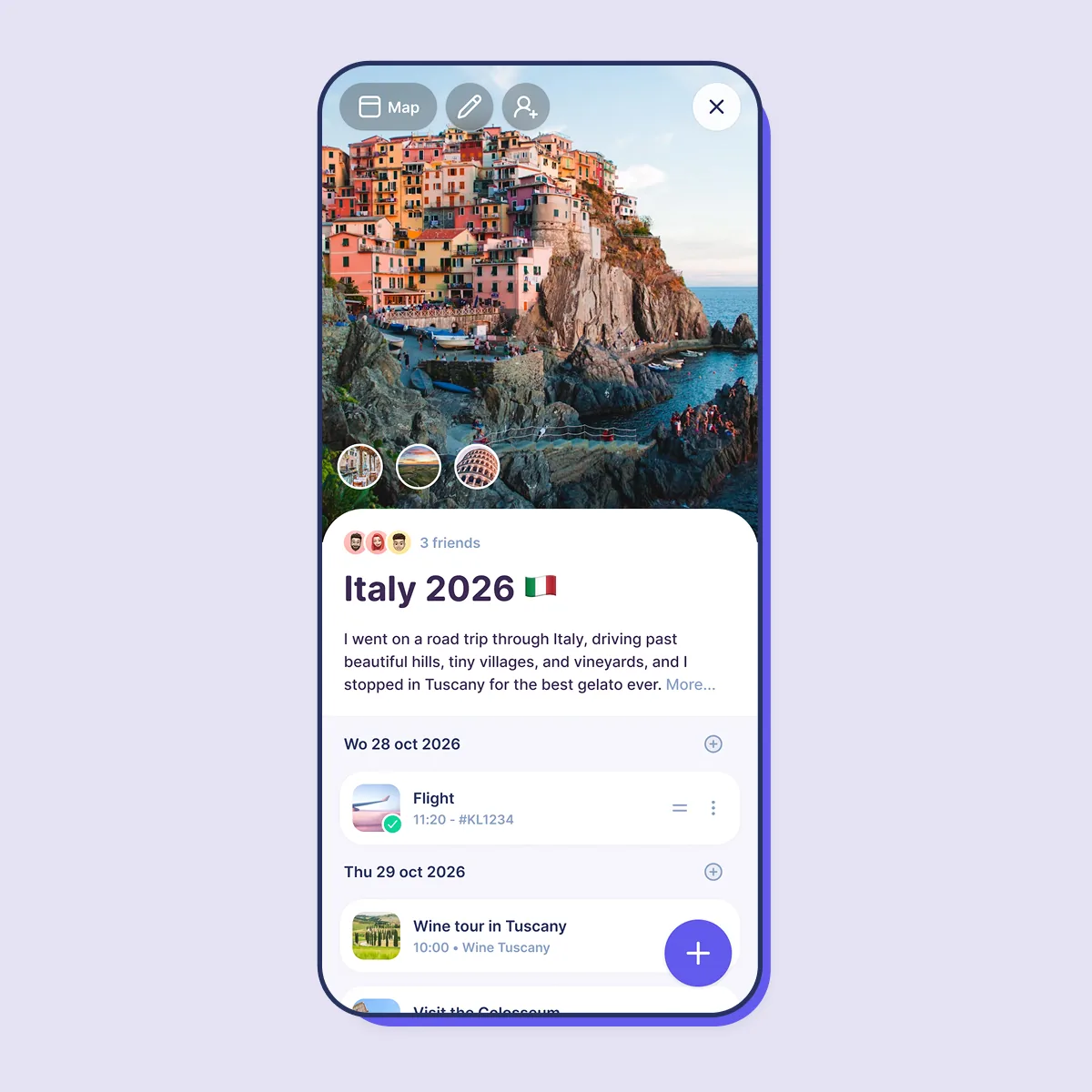
Flights, hotels, tours and must-sees: everything for your trip in one place, planned day by day — from “Flight to Rome” to “Wine tour in Tuscany”.
- Day-by-day itinerary
- Add a start and end date, and plan your goals on the days you want to do them. Your trip shows up as a clear schedule, day after day.
- Reservations and tickets
- Add a note, flight number or confirmation number to a trip or goal, and mark whether you already have tickets. Only you and the people you invite can see it.
- Your trip on the map
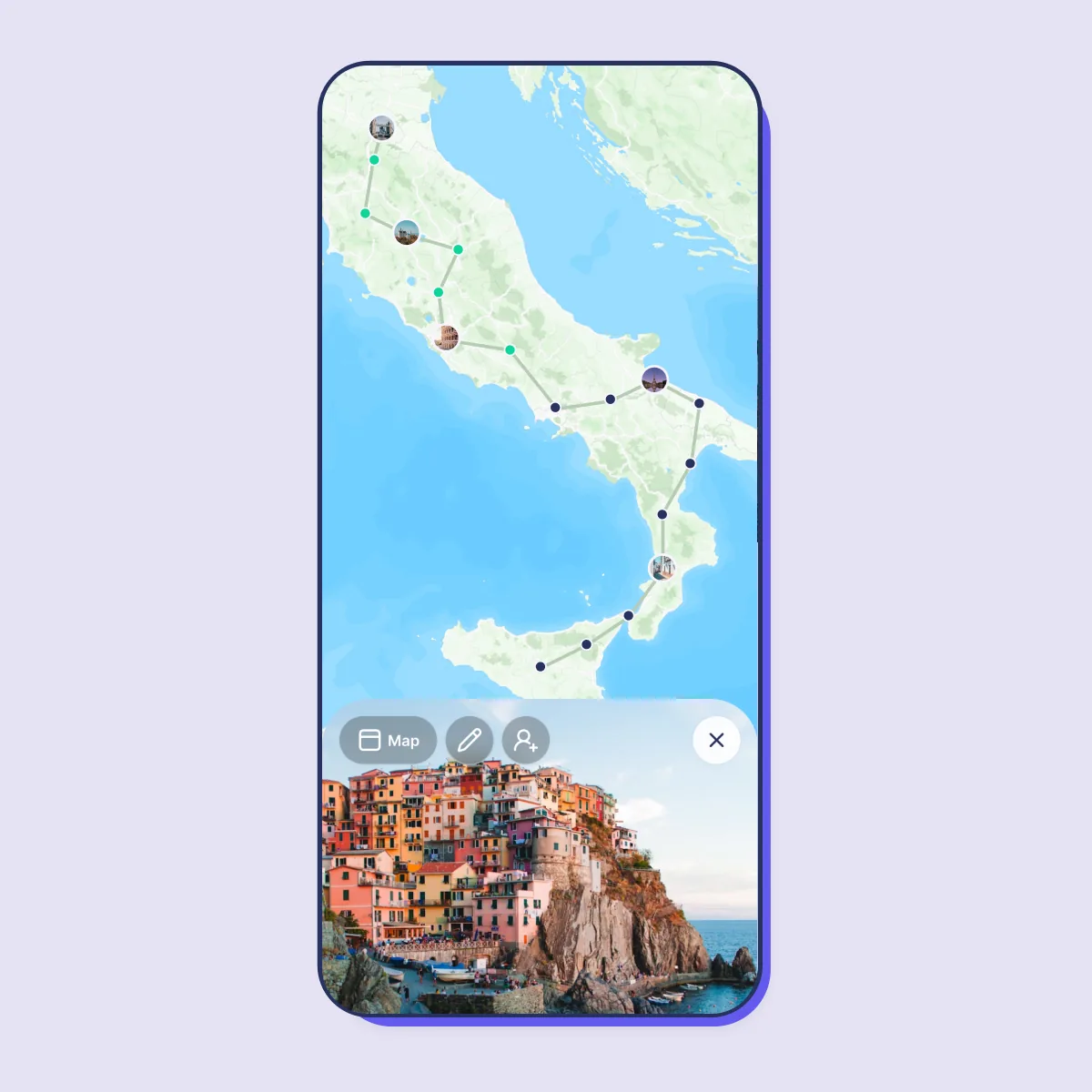
- Tap Map to see everything you have planned on one map, so you know which places are close to each other.

Together
Plan together, travel together
Invite your travel buddies, keep an eye on your budget and turn every day of your trip into memories with photos.
- Invite your travel buddies
- Share a trip with your partner, friends or family. Everyone can add goals and plan them, so nobody has to do it all alone.
- Keep track of your budget
- Add a budget in euros, dollars or pounds to a trip or goal. Your budget is only visible to you.
- Relive it afterwards
- Mark goals as completed while you travel and write journal entries with photos, so your trip lives on.
How to plan a trip in 7 steps
A good trip plan gives you peace of mind without filling every minute. These seven steps take you from a vague idea to an itinerary you can actually use.
-
1
Choose your destination and dates
Start with where you want to go and how long you can stay. Check the season, the weather and any local holidays before you fix your dates.
In iBucket: tap + and choose Trip, then add your start and end date.
-
2
Set a budget
Decide what you want to spend on transport, accommodation, food and activities. A budget helps you choose where to splurge and where to save.
In iBucket: add a budget to the trip; only you can see it.
-
3
Collect everything you want to do
Make a list of sights, restaurants, hikes and experiences. Don't sort them yet — first collect, then choose.
In iBucket: add goals to the trip, or move goals from your bucket list into it.
-
4
Book transport and accommodation
Book flights, trains and places to stay first, as they shape the rest of the plan. Keep every confirmation where you can find it again.
In iBucket: add the flight number or confirmation number as a Reservation.
-
5
Plan day by day, but leave room
Group activities that are close to each other on the same day and plan one or two highlights per day. Leave free time for rest and the unexpected.
In iBucket: schedule each goal on a day of your trip.
-
6
Share the plan
Planning together is more fun and fairer. Let everyone add their own wishes, so the trip has something for each of you.
In iBucket: invite your travel buddies to the trip.
-
7
Prepare before you go
Think of passports, visas, travel insurance, vaccinations and what to pack. Tick them off in the weeks before you leave.
In iBucket: add tasks to your goals, such as “Buy travel insurance”.

Frequently asked questions
What is a trip in iBucket?
A trip is a collection of goals that you can schedule day by day. If you have a holiday planned, add your dates and places, and plan the goals you want to achieve on each day.
How do I create a trip?
Press the + button at the bottom and select Trip. Give it a name, add a start and end date, and start adding goals.
Can I plan a trip together with friends?
Yes. Open the trip and press Share at the top right, or press + and select Invite. Everyone you invite can add goals and plan them with you. The people you invite never have to pay to join.
Can I add reservations to my trip?
Yes. Open the trip, press Edit and add a reservation, such as a note, flight number or confirmation number. This information is only visible to you and the people you have invited.
Is the iBucket trip planner free?
Yes, iBucket is free to download and use. Premium is available if you want unlimited trips and extra features, such as the full calendar.
Start planning your next trip
Download iBucket for free and plan every day of your trip, on your own or together.